
Where to Start with Test Automation in Microsoft D365
Imagine your company has just invested in a test automation platform for Microsoft Dynamics 365 (D365). You're eager to leverage automation to enhance your testing efforts and ensure high-quality results. With a vast array of modules and processes within D365,

Smart Test Automation Strategies for Microsoft D365
Imagine your company has just invested in a test automation platform for Microsoft Dynamics 365 (D365). You're eager to leverage automation to enhance your testing efforts and ensure high-quality results. With a vast array of modules and processes within D365, however, it can be overwhelming to determine where automation should be applied first.
This blog will help you identify the best areas within D365 to prioritize for automated testing, ensuring a smooth setup and maximizing the efficiency of your test automation strategy.
What Makes a Good Candidate for Automated Testing in Microsoft D365?
Before diving into automation, it's crucial to identify which areas of testing within D365 offer the most value when automated.
Repetitive and Time-Consuming Tests
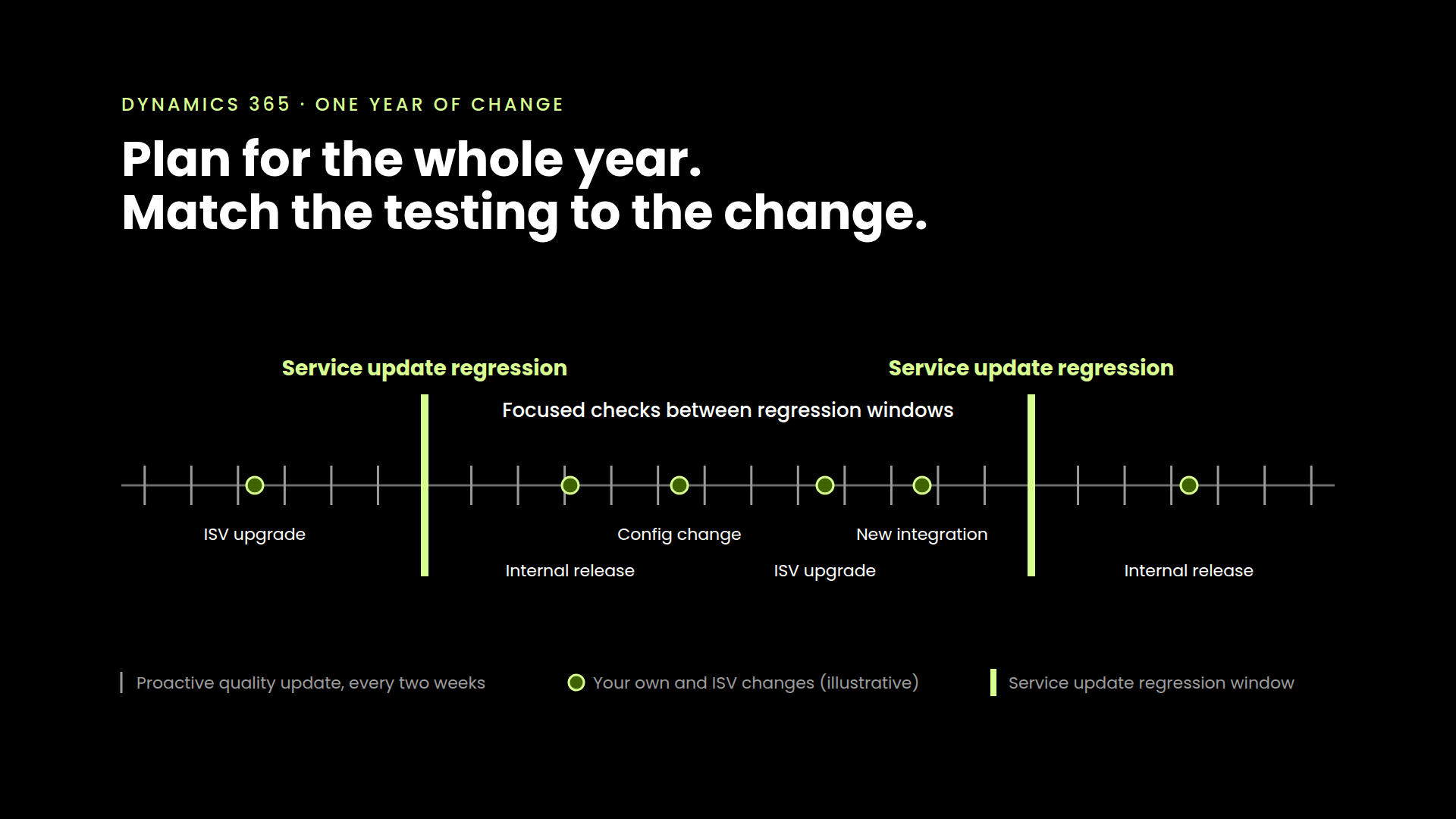
Automated testing is ideal for processes that are run repeatedly, such as regression tests, smoke tests, and data-driven tests. These tests are frequently executed after each new D365 release, making them the perfect candidates for automation. By automating these tests, you reduce the time spent on repetitive tasks, minimize human error, and ensure consistency across test cycles.
High-Risk and Critical Business Functions
Testing the core business functions that are critical to your organization is essential. This includes areas such as financial transactions, order processing, and inventory management. Automated testing in these areas ensures that any issues are identified quickly, reducing the risk of operational disruptions.
Stable and Predictable Functionalities
It's beneficial to automate testing for functions within D365 that are unlikely to change frequently. For instance, testing for financial compliance or accounting processes can be automated because they are stable over time, reducing maintenance efforts.
Data-Intensive Workflows
D365 handles large volumes of data, making it important to test data consistency, integrity, and accuracy across various modules. Automated testing can be applied to data validation, integration testing, and data migration tests.
D365 Areas to Prioritize for Automated Testing
1. D365 Finance
- Financial Transaction Testing — Automate the testing of transactions like invoicing, payment processing, and general ledger entries to ensure accuracy and compliance.
- Accounts Payable & Receivable Testing — Automate the verification of transactions, including invoice matching and payment schedules.
- Tax Compliance Testing — Automate tax calculations and reporting processes to ensure compliance with regional and international tax regulations.
2. D365 Supply Chain Management
- Inventory Management Testing — Automate tests to verify stock levels, order fulfillment, and inventory tracking.
- Procurement Testing — Automate the testing of purchasing workflows, including vendor selection, order creation, and supplier communications.
- Logistics & Delivery Testing — Ensure automated testing of logistics processes, such as order tracking and shipping updates.
3. D365 Sales & Customer Service
- Order Management Testing — Automate the verification of order entry, invoicing, and fulfillment notifications.
- Customer Interaction Testing — Automate the testing of case management, service requests, and customer communication workflows.
- Sales Process Testing — Automate tests for lead management, opportunity tracking, and sales forecasts.
4. D365 Integration & API Testing
- Third-Party Integrations — Automate testing for integrations between D365 and other enterprise systems to ensure seamless communication and prevent data discrepancies.
- API Testing — Automate the testing of APIs to ensure the proper flow of data between D365 and external systems.
Developing a Sustainable Test Automation Strategy for D365
Test Prioritization: Prioritize the tests based on their business impact. High-risk tests, such as those in Finance and Supply Chain Management, should be automated first.
Ongoing Maintenance and Governance: Automation isn't a one-time project — it requires ongoing maintenance. D365 regularly updates its features, which may result in changes to workflows and processes.
Collaboration Between IT & Business Teams: Test automation in D365 should be a collaborative effort between IT teams and business units. This ensures that automation is aligned with actual business needs and objectives.
Manual vs. Automated Testing — Where to Draw the Line
While automation brings numerous benefits, certain types of tests require human insight and are better left for manual testing: exploratory testing, usability testing, ad-hoc testing, and localization testing.
Conclusion
Automating tests within Microsoft D365 helps improve the efficiency, accuracy, and reliability of your ERP testing efforts. By focusing on high-impact modules such as Finance, Supply Chain Management, and Sales & Customer Service, you can ensure that your automated testing efforts are aligned with your organization's most critical workflows.
Ready to streamline your D365 testing? With TheTestMart, you can automate high-impact areas quickly and effectively. Get in touch today and see how our platform can simplify your test automation strategy!



See it in your environment, today.
Real test scenarios. Real results. No sandbox demo.