
When Does Test Automation Make Sense for Dynamics 365?
If you are working with Microsoft Dynamics 365, you have probably asked yourself this question or heard it raised in planning meetings. Testing is always part of the process, but identifying when automated testing should become a core strategy is not always st

If you are working with Microsoft Dynamics 365, you have probably asked yourself this question or heard it raised in planning meetings. Testing is always part of the process, but identifying when automated testing should become a core strategy is not always straightforward.
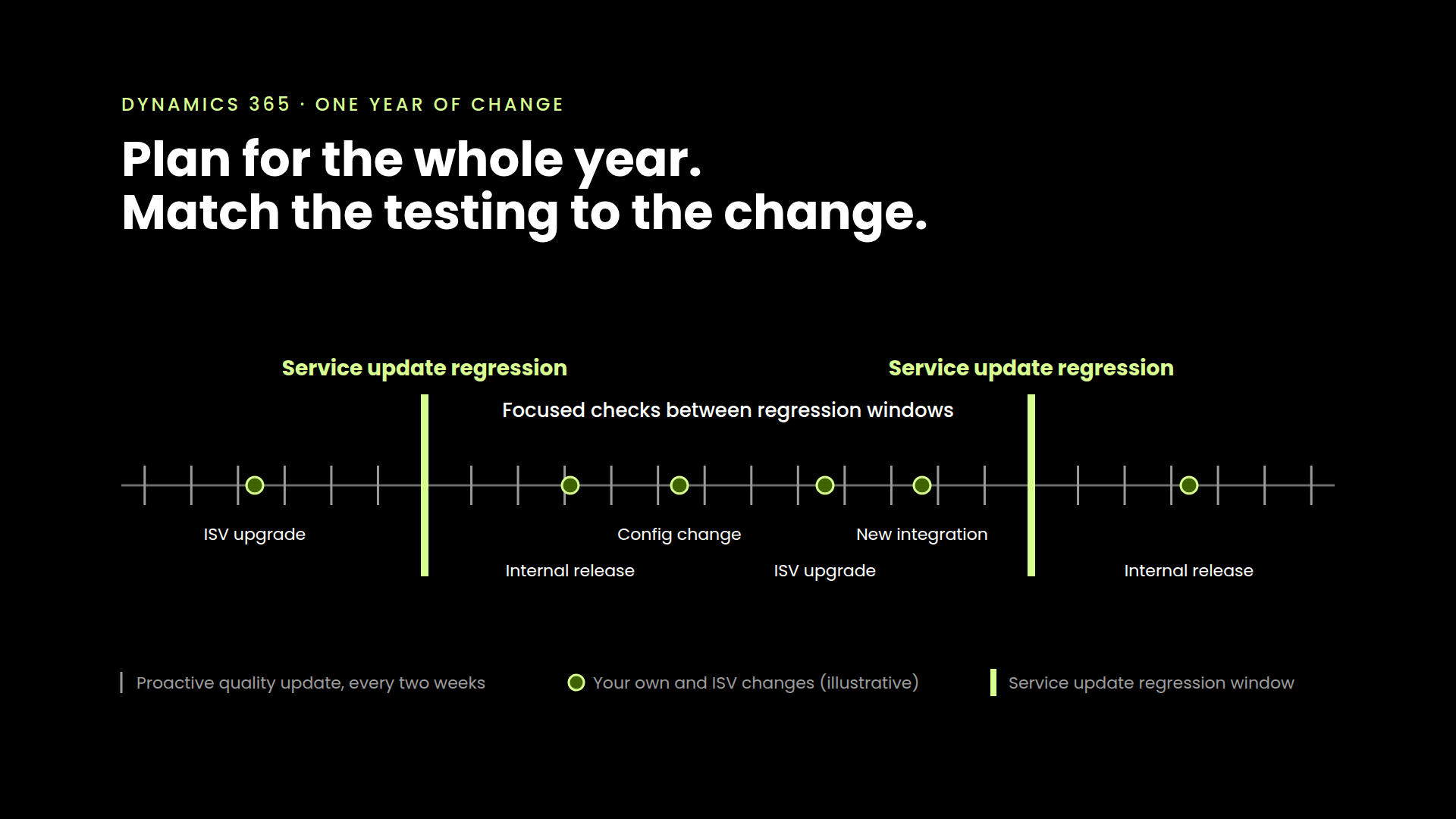
The Dynamics 365 environment is built around constant change. New features are released in public preview, platform upgrades are scheduled regularly, and monthly quality updates introduce improvements that require validation. For many teams, the challenge is not deciding whether automation will help, but recognizing the point at which waiting becomes the riskier path forward.
A Constant Stream of Change
Microsoft Dynamics 365 is designed for continuous evolution. Updates arrive on a fixed schedule, bringing feature enhancements, bug fixes, and performance improvements. These are valuable, but they also require organizations to consistently validate customizations, integrations, and business-critical workflows.
Over time, the burden of testing every change manually becomes unsustainable. It is not just about confirming if something works in isolation. It is about ensuring it continues to work in combination with everything else already in place. This is where automated testing becomes essential.
The Early Signs It Is Time to Start
Most teams do not wait until testing breaks entirely. A regression bug surfaces late in the cycle. A last-minute fix pushes a deployment. QA capacity starts to feel thin with every new release. These are not failures, but they are signals.
Teams that respond to those signals early can start small. They focus on workflows that are high risk or frequently touched. Over time, they build a foundation that scales as the product matures.
Automated Testing Is Not a Project. It Is a Foundation.
There is often a misconception that automated testing must be fully scoped and deployed all at once. In practice, the most successful implementations begin incrementally. Teams may start by automating login processes, pricing rules, or approval paths, and then expand as the value becomes clearer.
The benefits show up quickly. Test time is reduced. Defects are caught earlier. Confidence increases across development and QA.
Manual Testing Still Matters
As much as automation improves efficiency, manual testing continues to play a critical role in a complete quality strategy. Exploratory testing, usability reviews, and domain-specific edge cases all benefit from the intuition and perspective of experienced testers. The goal is to make sure that manual effort is spent where it matters most.
Ready to Start? Here Is Where to Focus
If your team is already discussing testing bottlenecks, stretching QA resources, or bracing for the next update, it may be time to take a closer look at where automation fits. Our guide on Where to Start with Test Automation in Microsoft D365 outlines how to identify high-value areas, set realistic scopes, and build momentum without overextending your team.
If you are ready to explore what automated testing could look like for your team, get in touch with us or schedule a quick consultation. We are here to help you move from interest to action with a practical, tailored approach.



See it in your environment, today.
Real test scenarios. Real results. No sandbox demo.