
Dynamics 365 Testing: Plan for the Whole Year.
Service updates are only part of your Dynamics 365 testing calendar. Learn how to plan for quality updates, ISV releases, and internal changes throughout the year, with repeatable checks that match the scope of each change.
Dynamics 365 Testing: Plan for the Whole Year
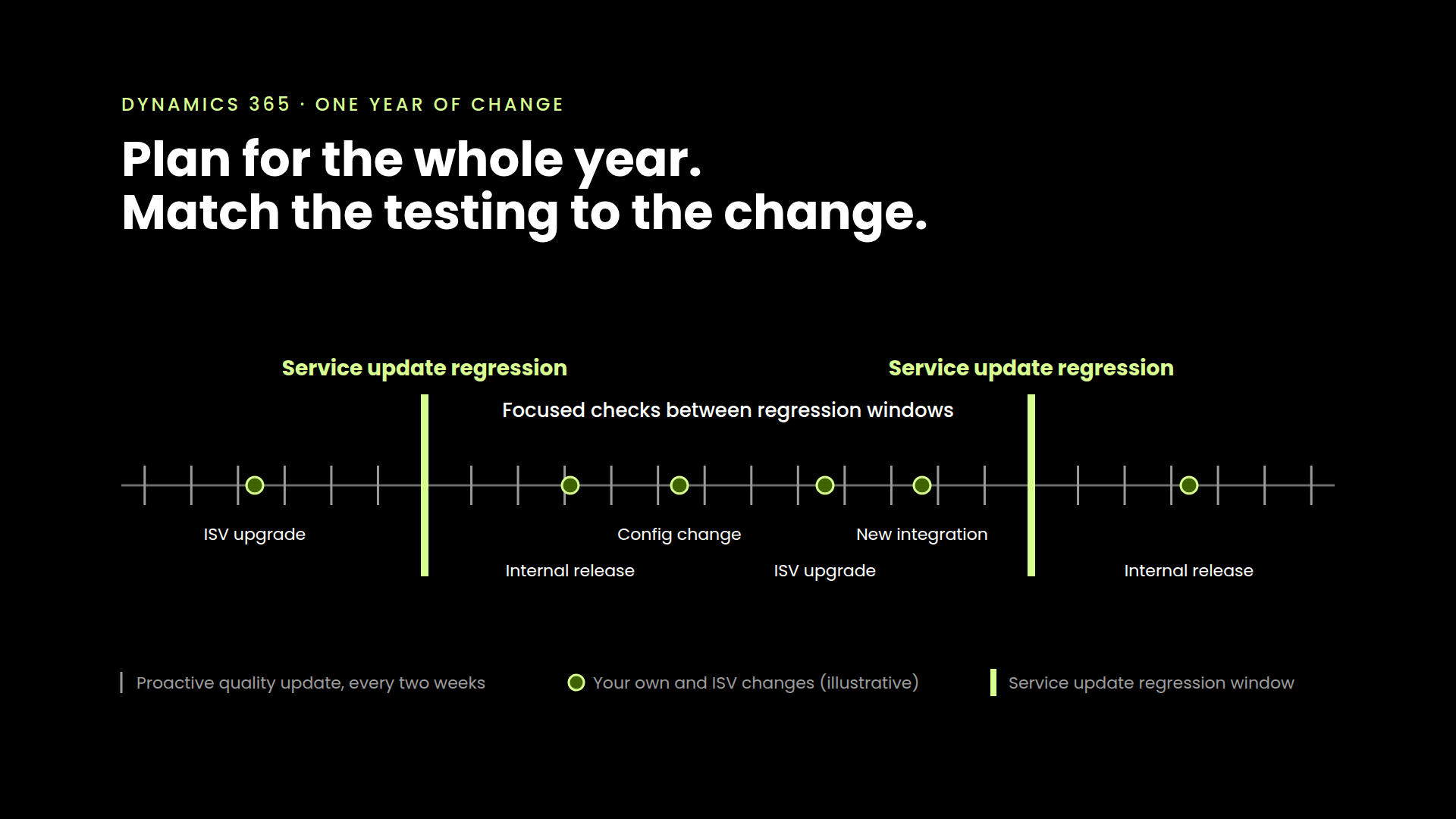
Two service updates give a Dynamics 365 team useful anchors for its testing calendar. Quality updates, ISV releases, configuration changes, and internal projects fill out the rest of the year.
A practical testing plan accounts for all of them. For each change, it identifies the processes to validate, the depth of testing needed, and the people responsible for reviewing the results.
That does not mean running a full regression every time something changes. It means having repeatable checks ready and knowing when broader coverage is warranted.
The release calendar tells you when software changes. Your testing plan should tell you what needs checking.
Use service updates as planning anchors
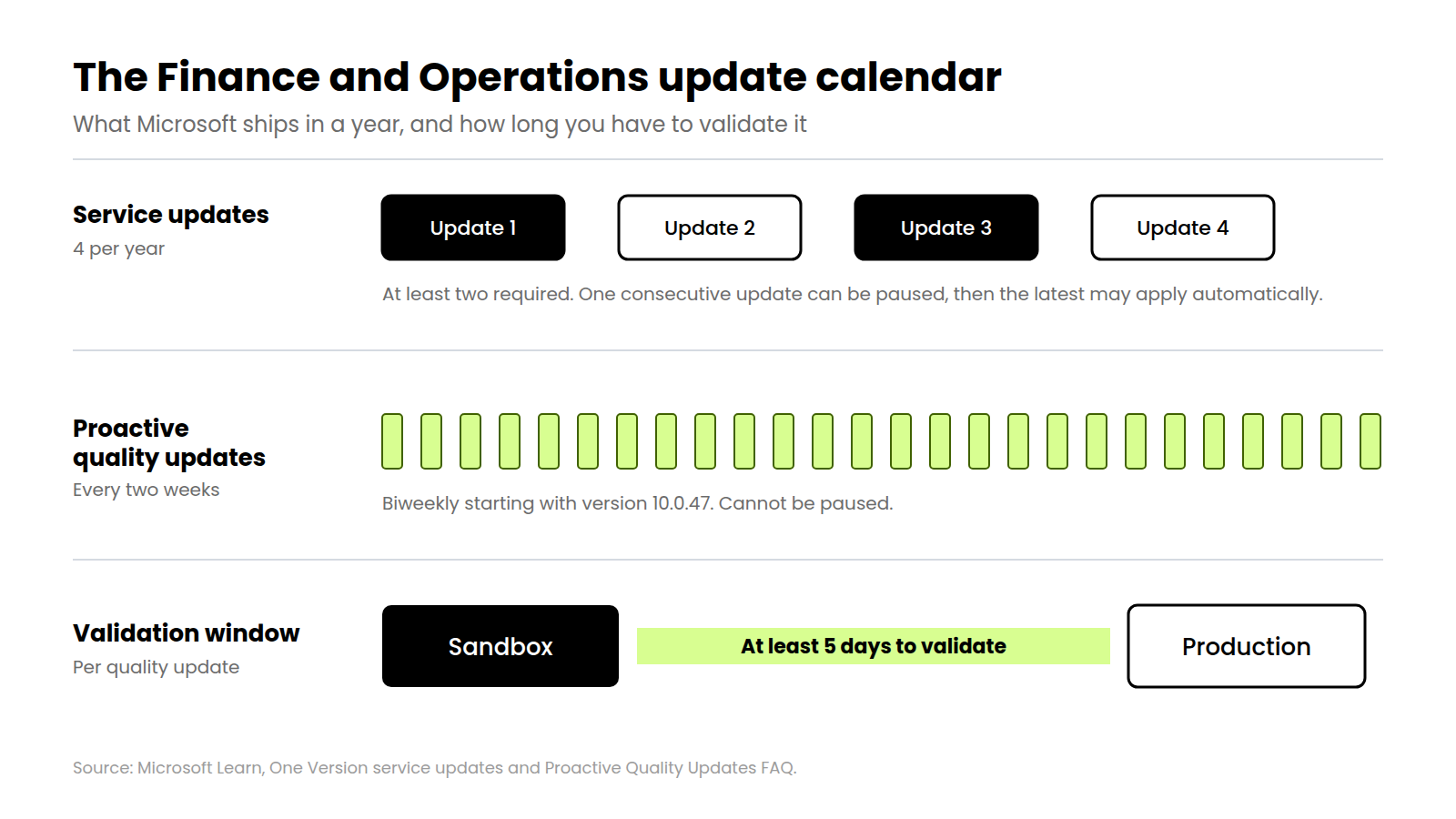
For Dynamics 365 Finance and Operations, Microsoft publishes four service updates annually and requires customers to take at least two. You can pause one consecutive update. Once that pause ends, Microsoft can apply the latest update automatically if you have not moved to a supported version. Those are the One Version servicing rules.
Those rules establish the servicing baseline. Build broader regression windows around the service updates you take, then add the other changes your environment will absorb.
An ISV tax update, a warehouse configuration change, or a revised approval flow may call for a more focused set of checks. Scope the testing around the affected processes and their dependencies.
The roadmap is only part of the picture
Starting in September 2026, Microsoft is moving Dynamics 365, Power Platform, and Dataverse roadmap content to the AI at Work roadmap and replacing twice-yearly roadmap disclosures with continuous publishing. Microsoft explicitly says this changes how it communicates upcoming capabilities, while established product release schedules continue.
Those schedules are useful planning anchors. Your validation plan still needs to account for what changes between them.
If a business process crosses Finance and Operations, Power Platform, and an ISV application, its testing needs follow changes in those dependencies. Use the roadmap to identify upcoming changes, then map the relevant ones to your own validation calendar.
Build quality updates into the routine
Starting with Finance and Operations version 10.0.47, Proactive Quality Updates move from a 28-day schedule to every two weeks. Microsoft's FAQ also states that production receives the update at least five days after sandbox and that customers cannot pause a PQU. See the PQU cadence and validation window.
Plan a repeatable validation routine for that window. Review the changes, run a dependable set of critical process checks, and expand coverage where the affected functionality warrants it.
For example, a fix affecting financial posting may call for additional checks of the transactions and records your business relies on. An unrelated change may need only the established baseline. Keep test data and environments ready so preparation does not consume the validation window.
Your own changes belong on the same calendar
Consider a hypothetical food manufacturer running Finance and Operations, warehouse customizations, and four ISV applications.
Assume it takes two service updates, delivers one internal project per quarter, and upgrades each ISV once during the year. That is ten planned change events before accounting for PQUs or changes to connected Microsoft applications. Some can share a validation window. Each still needs a scope decision and an owner.
Now put a warehouse project, a tax application update, and a PQU into the same month. The application owners, technical teams, and business specialists needed to validate them already have operational work and project commitments.
Putting those events on one calendar lets the team reserve capacity, reuse relevant checks, and agree on ownership before the windows overlap. Where changes share a validation window, record which versions and configurations were tested together.
Test whether the business transaction finishes correctly
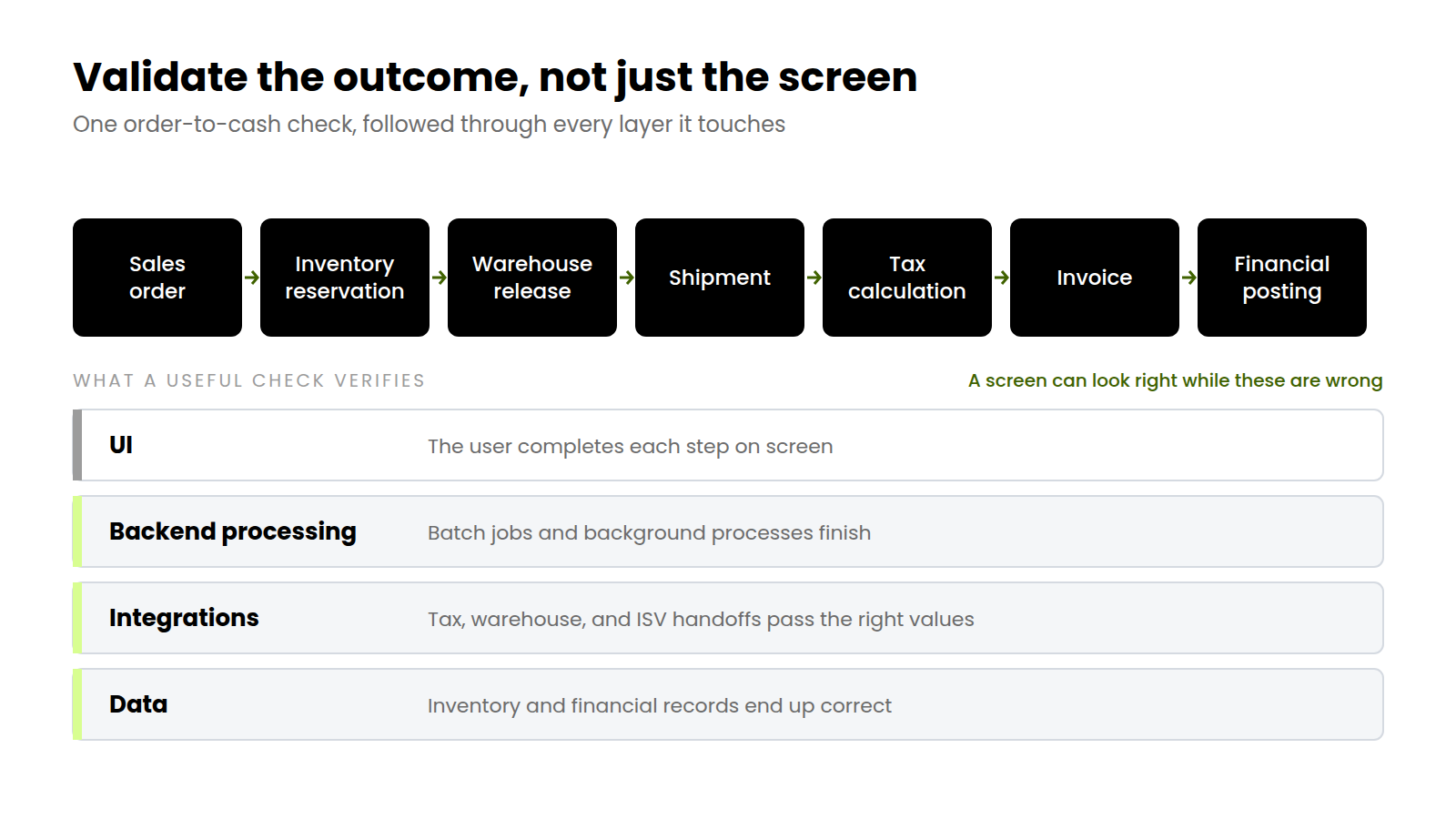
Define success through the complete transaction, including the backend processing and data it produces.
For that manufacturer, a useful check might follow an order through inventory reservation, warehouse release, shipment, tax calculation, invoicing, and financial posting. Validation should reach through the backend processing and integration handoffs to confirm that the resulting inventory and financial records are correct.
Use test data that reflects the conditions your business actually handles: a partial shipment, a credit hold, a return, or a failed integration that retries. Choose the checks that establish whether those outcomes are correct, including direct checks of APIs, integrations, and data where appropriate.
Make those checks repeatable across the year. Business specialists define correct outcomes; technical teams help verify the processing and data behind them. Automate stable, recurring checks so both groups can spend more time investigating exceptions and assessing changes. Assign ownership for keeping the tests and their data current.
Make the results useful for the next decision
Before a material change reaches production, the accountable owner should be able to answer:
- What changed, and which business processes could it affect?
- What passed, against which build, configuration, and test data?
- What needs investigation or further testing, and who owns it?
- What follow-up checks and support are needed after deployment?
For changes you control, those answers should inform the go-live decision. For vendor-managed updates, they should inform escalation, mitigation, and operational readiness within the available window.
Keep the results when tests pass as well as when they fail. If an issue appears later, a dated record of what worked gives the investigation somewhere concrete to start.
That record also makes the next cycle easier to plan: which checks to reuse, which to update, and where to extend coverage.
Where Horizon fits
We built Horizon to make recurring Dynamics 365 validation practical. Tests can follow a workflow through the UI, backend processing, and integrations, then check the resulting data. That gives teams evidence that the process still works after a change. You can explore those capabilities at The Test Mart.
Your team defines the expected outcomes and decides what each change requires. Horizon makes that validation easier to repeat and maintain across service updates, quality updates, ISV releases, and internal projects.
Bring your update calendar and a critical workflow to a Horizon demo. We can walk through how to validate the process, inspect the resulting data, and repeat the relevant checks as changes arrive.
Plan for the whole year. Match the testing to the change.



See it in your environment, today.
Real test scenarios. Real results. No sandbox demo.